What Is a Slide Deck? Meaning, Examples & Ready-Made PPT Templates



In many professional, academic, and business settings, ideas are often shared through visual presentations. Whether you’re pitching a startup idea to investors, teaching students in a classroom, or presenting quarterly results to your team, a slide deck plays a central role in how your message is delivered and understood.
But what exactly is a slide deck, and how does it differ from a regular presentation? More importantly, how can you create a slide deck that communicates information clearly, keeps your audience engaged, and supports your message without overwhelming them?
This guide answers those questions by explaining what a slide deck is, how it’s commonly used, and what makes an effective one. Written in simple, beginner-friendly language, it covers the basics from structure and design principles to practical tips and examples so you can confidently create slide decks for any purpose.
What Is a Slide Deck?
A slide deck is a collection of slides that work together to present information visually. Think of it as a digital document made up of individual pages (slides) containing text, images, charts, and graphics arranged in a logical sequence.
The term “deck” comes from a deck of cards—each slide is like one card in the stack. While most people use Microsoft PowerPoint to create slide decks, you can also use Google Slides, Apple Keynote, or other presentation tools.
Why Slide Decks Matter
A well-designed slide deck helps you:
- Organize complex information into easy-to-understand sections
- Keep your audience engaged with visual elements
- Deliver consistent messages across teams
- Share information that others can review later
A typical PowerPoint slide deck contains anywhere from 10 to 30 slides, depending on your topic and time available.
Key Parts of a Slide Deck
Every effective slide deck includes these essential components:
- Title Slide – Your opening slide with the presentation title, your name, and date
- Content Slides – The main slides where you present your ideas, data, and information
- Visual Elements – Images, charts, graphs, and icons that make information clearer
- Conclusion Slide – A summary of key points or your call-to-action
- Contact Slide – Your final slide with contact information or a thank you message
Common Uses for Slide Decks
Slide decks are used everywhere:
- Business – Quarterly reviews, company reports, strategy meetings
- Marketing – Campaign proposals, client presentations, performance reports
- Startups – Investor pitches explaining business ideas and projections
- Education – Classroom lectures, student presentations, research projects
- Training – Employee onboarding, workshops, policy updates
Slide Deck vs Presentation
Although the terms slide deck and presentation are often used as if they mean the same thing, they describe two different things.
A slide deck is the digital file created in presentation software. It includes all the slides, visuals, text, charts, and design elements arranged in a specific order. The slide deck exists independently and can be shared, edited, or viewed without anyone presenting it live.
A presentation is the act of delivering information to an audience. It involves the speaker explaining ideas, adding context, and guiding viewers through the slides. In this case, the slide deck supports the speaker by providing visual structure and emphasis.
Because of this distinction, slide decks are created with different levels of detail. Some are designed mainly as visual aids for live presentations and contain minimal text. Others are built to be self-explanatory so they can be reviewed later without a presenter.
Simply put, the slide deck is the content, while the presentation is how that content is communicated.
How to Create a Slide Deck in 5 Easy Steps
1. Set a Clear Goal
Before creating your slides, define the purpose of your presentation. Identify your main message, understand who your audience is, and decide what action you want them to take after viewing the slide deck. A clear goal keeps your content focused and impactful.
2. Organize Your Content
Plan your ideas before designing slides. A strong slide deck usually follows a simple structure: an introduction, a problem or topic overview, your main points or solution, supporting details, and a conclusion with next steps. This structure helps your audience follow your message easily.
3. Use a Professional Template
Designing from scratch can be time-consuming. Using a ready-made PowerPoint template saves time and ensures a polished look. SlidesDepot offers a wide selection of customizable templates for business, marketing, education, and other purposes.
If you want ready-to-edit designs instead of starting from scratch, you can browse professionally designed PowerPoint templates at SlidesDepot, organized by business, marketing, education, and pitch deck categories.
4. Add Content Carefully
When adding content to your slides, keep it simple and visual. Focus on one main idea per slide, keep text concise, and use high-quality images. Charts and graphs should be clear and easy to read so your message is understood quickly.
5. Review and Practice
Before finalizing your slide deck, review it for clarity and consistency. Check the flow between slides, fix spelling or grammar errors, and ensure text and visuals are readable. If presenting live, practice your delivery to build confidence and stay on time.
Design Tips for Better Slide Decks
- Keep Slides Simple – Avoid overcrowding slides with too much text or too many visuals. Using white space helps highlight key information and improves clarity.
- Use Clear, High-Quality Visuals – Images and graphics should be sharp and relevant to support your message, not distract from it.
- Maintain Visual Consistency – Use the same fonts, colors, and layout style across all slides for a unified appearance.
- Use Visuals to Explain Data – Charts and graphs often communicate information more clearly than long tables or dense text.
- Follow a Logical Flow – Organize slides in a clear sequence so ideas build naturally from one point to the next.
- Focus on Readability – Use large, legible fonts and sufficient contrast between text and background to ensure slides are easy to read.
Why Use PowerPoint Templates?
Creating a structured and visually consistent slide deck can be challenging, especially when starting from scratch. Templates provide a ready-made framework that helps maintain clarity and consistency throughout a presentation.
Benefits of Using Templates
- Save Time – Reduce the time spent on layout and formatting.
- Maintain Consistency – Ensure uniform design across all slides.
- Simplify Organization – Predefined layouts help structure content logically.
- Support Customization – Colors, fonts, and images can be adjusted as needed.
What to Look for in a Quality Template
- Clean, Professional Design – Simple layouts that don’t overwhelm the content.
- Variety of Slide Layouts – Options for different content types.
- Ease of Editing – Simple to update text and visuals.
- Clear Visual Elements – Graphics that enhance understanding, not clutter slides.
- Compatibility – Works properly with your PowerPoint version.
Find Your Perfect Template at SlidesDepot
SlidesDepot offers a wide selection of professionally designed PowerPoint templates to suit a variety of presentation needs. All templates are carefully organized by category, making it easy to find the right design for your specific purpose, audience, and industry.
Business Templates
Ideal for corporate presentations, proposals, reports, and internal meetings. These templates focus on clean layouts, clear data presentation, and a professional visual style suited for executives and stakeholders.

Marketing Templates
Designed for campaign pitches, marketing strategies, brand presentations, and performance reports. These templates use strong visuals and engaging layouts to help communicate ideas clearly and persuasively.
Pitch Deck Templates
Perfect for startups and entrepreneurs preparing investor presentations. These decks are structured to highlight business ideas, market opportunities, growth strategies, and financial projections in a clear, compelling way.

Educational Templates
Created for lectures, training sessions, workshops, and academic presentations. These templates help organize information logically, making complex topics easier to understand for students and learners.

Creative Templates
Best suited for portfolios, design showcases, and visual storytelling projects. These designs emphasize creativity, imagery, and modern layouts to help your work stand out.

Every SlidesDepot template is fully customizable, allowing you to adjust colors, fonts, images, and layouts to match your brand and presentation goals. With ready-made designs and flexible customization options, you can create polished, professional slide decks quickly and confidently.
Start Creating Professional Slide Decks Today
Now you understand what a slide deck is and how to create one that gets results. Whether you’re presenting to executives, teaching students, or pitching investors, a well-designed slide deck makes your message clear and memorable.
The keys to success: know your goal, organize your content logically, use professional design, and practice your delivery.
Ready to get started? Visit SlidesDepot today to explore hundreds of ready-made PowerPoint templates for every industry and purpose. Each template is professionally designed and ready to customize with your content.
Download your perfect template now and create slide decks that captivate your audience in minutes, not hours. Transform your presentations from ordinary to extraordinary with SlidesDepot.
How many slides do I need?
It depends on your purpose. Typical ranges: pitch decks (10-15 slides), business presentations (15-20 slides), training sessions (20-30 slides). Quality matters more than quantity.
Can I edit a template?
Yes! Templates are fully customizable. Change text, images, colors, and layouts to match your content and brand.
Do I need design skills?
No. Templates are designed to be user-friendly. Just add your content and make basic customizations.
Can slide decks work without a live presentation?
Absolutely. Many slide decks are created for people to review on their own. Just include enough text so slides make sense independently.


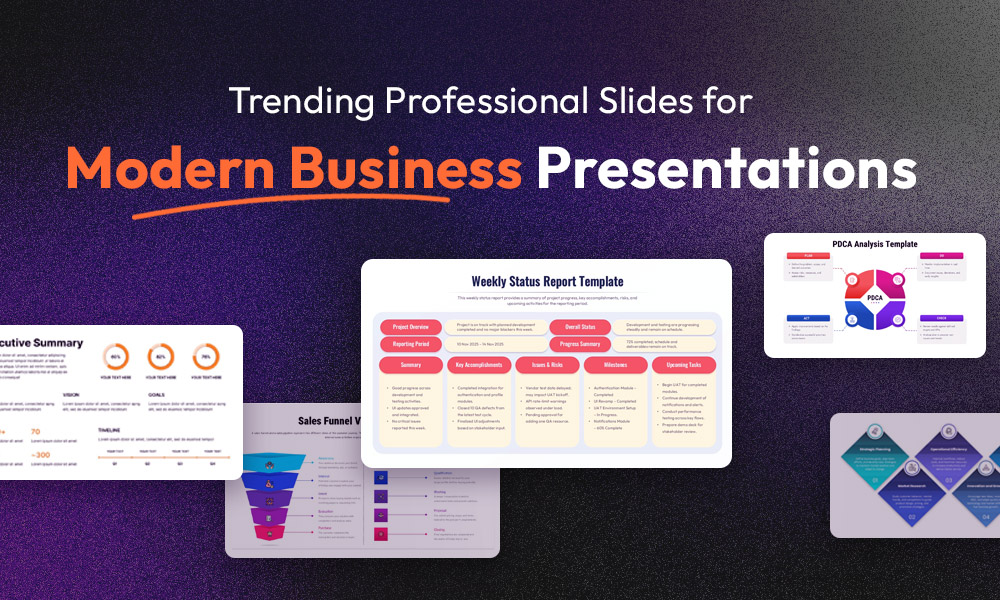
Trending Professional Slides for Modern Business Presentations
In today’s fast-moving business environment, presentations play a critical role in how ideas are shared, decisions are made, and deals are closed. Yet many professionals still struggle with slides that feel outdated, cluttered, or inconsistent. Boring visuals, unclear messaging, and time wasted on formatting often weaken otherwise strong content. This is where professional slides come…
What Is a Bar Graph Used For? 10 Bar Graph Examples Across Industries
Every business runs on data, but data alone does not persuade anyone. When you are presenting to stakeholders, pitching a strategy, or reporting on quarterly performance, your audience needs to understand your numbers quickly and confidently. That is exactly why knowing what is a bar graph is one of the most practical skills you can develop as…

How to Make Google Slides Look Good: 18 Tips for an Aesthetically Pleasing Presentation
Most people open Google Slides, pick a random theme, and start typing. The result is a deck that looks like every other presentation in the room: mismatched fonts, crowded slides, and a colour palette that nobody consciously chose. Then they wonder why the audience checks their phones. Knowing How to Make Google Slides Look Good…