frequently-asked-questions-layout-powerpoint-google-slides.
This template is part of a deck featuring multiple slides. To check out all slides.
See AllProduct Description
Frequently Asked Questions Modern Dark Presentation Template
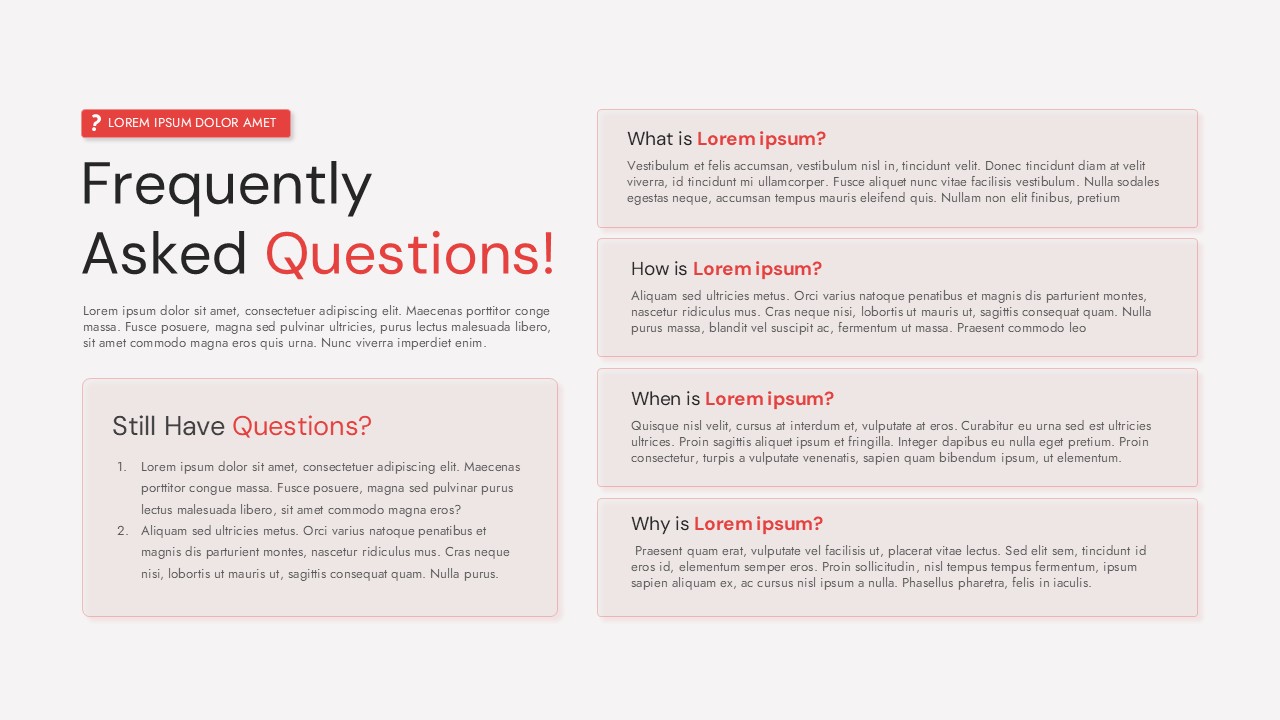
Present common inquiries with clarity and confidence using this Frequently Asked Questions dark layout template for PowerPoint & Google Slides. Designed around a structured FAQ format, this slide features a bold left-aligned headline paired with multiple question-and-answer cards on the right, making information easy to scan and understand. The dark background combined with high-contrast typography and red accent highlights ensures excellent readability while maintaining a modern, professional tone. This Frequently Asked Questions dark layout template for PowerPoint & Google Slides is ideal for summarizing key explanations without overwhelming your audience.
The layout balances visual hierarchy and content density by separating primary messaging, supporting text, and follow-up questions into distinct sections. Rounded cards with subtle outlines frame each question, guiding the viewer’s eye naturally from one answer to the next. The “Still Have Questions?” panel adds an interactive feel, encouraging engagement and providing space for additional notes, clarifications, or next steps.
Fully editable text placeholders allow you to replace lorem ipsum content with product details, service explanations, onboarding notes, or policy clarifications in seconds. Whether used as a standalone slide or part of a larger deck, this Frequently Asked Questions dark layout template for PowerPoint & Google Slides adapts seamlessly to corporate branding, startup pitches, or educational presentations while preserving a clean, polished aesthetic.
Features of this FAQ template
• Structured FAQ layout with multiple question-and-answer cards for clear communication.
• Dark theme with high-contrast text and accent highlights for improved readability.
• Dedicated “Still Have Questions?” section for follow-ups or additional explanations.
• Fully editable text, colors, and layout elements in PowerPoint and Google Slides.
Why use this FAQ template
• Organizes complex or repeated questions into a clear, digestible format.
• Enhances audience understanding with consistent visual hierarchy.
• Saves time by providing a ready-made FAQ slide structure.
• Maintains a modern, professional look across presentations.
Who is it for
This template is ideal for business professionals, product managers, customer support teams, educators, and consultants who need to address common questions clearly. It also suits startups, SaaS teams, and marketing presenters explaining features, policies, or processes in a concise FAQ format.
Login to download this file






