Trending Professional Slides for Modern Business Presentations


In today’s fast-moving business environment, presentations play a critical role in how ideas are shared, decisions are made, and deals are closed. Yet many professionals still struggle with slides that feel outdated, cluttered, or inconsistent. Boring visuals, unclear messaging, and time wasted on formatting often weaken otherwise strong content.
This is where professional slides come in. Professionally designed presentation templates help businesses communicate with clarity, confidence, and visual consistency. Instead of starting from a blank slide, teams can rely on proven layouts that support storytelling and data presentation.
SlidesDepot serves as a trusted library of premium and free presentation templates for PowerPoint and Google Slides, helping professionals save time while delivering polished, modern business presentations.
What Are Professional Business Slides?
Professional business slides are carefully designed presentation layouts built to support clear communication in professional settings. They follow established design principles such as visual hierarchy, spacing, alignment, and consistency elements often missing from default slide designs.
Unlike basic slides, professional presentation slides are created with real business use cases in mind. They are commonly used for:
- Business reports and performance reviews
- Sales pitches and investor decks
- Strategy presentations and board meetings
- Training sessions and workshops
By using professional slide templates, presenters can focus on content and insights instead of layout and design challenges. This results in presentations that are easier to understand, more engaging, and more persuasive.
Examples of Professional Slides Used in Modern Business Presentations
To better understand how professional slides support real business scenarios, here are commonly used slide templates that help teams present processes, performance, and reports with clarity and structure.
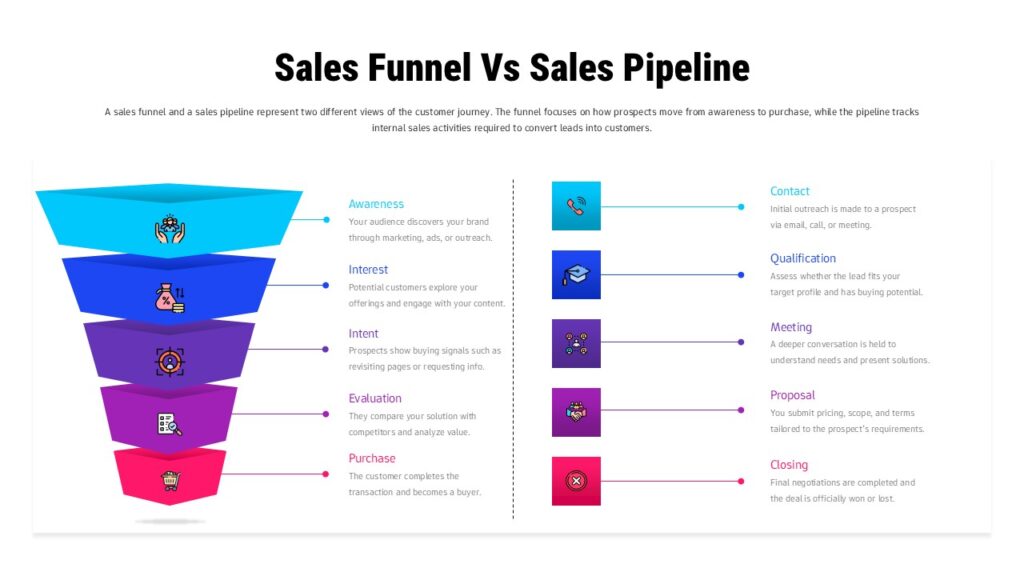
1. Sales Funnel and Pipeline Comparison Slide
This slide is used by sales and marketing teams to visualize lead movement across funnel stages. It enables side-by-side comparison of pipeline performance, helping teams identify bottlenecks, drop-offs, and conversion trends during reviews and forecasting meetings.
View Sales Funnel & Pipeline Comparison Template
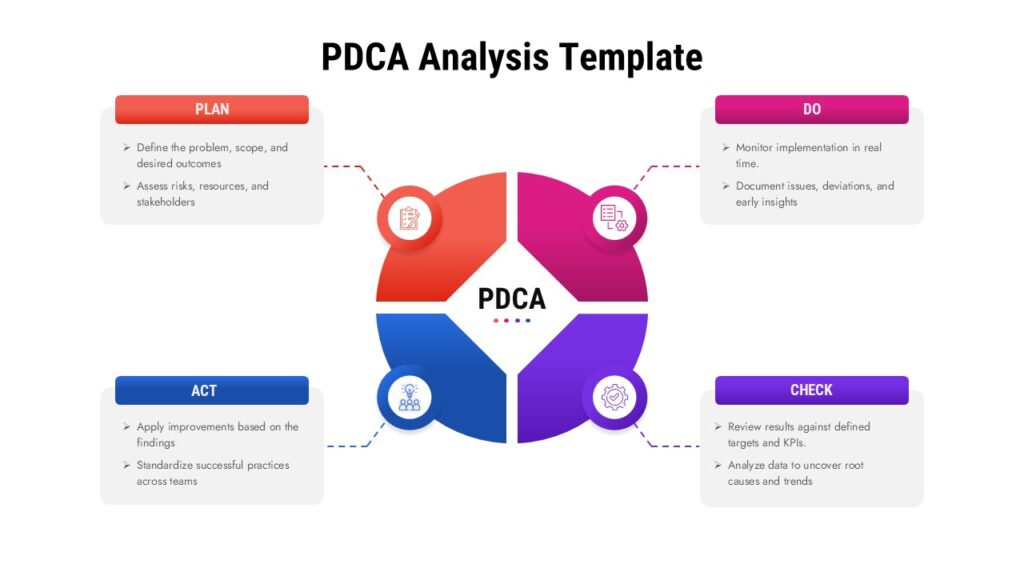
2. PDCA Cycle Analysis Diagram Slide
A PDCA cycle slide is widely used in operations and quality management presentations. It visually represents Plan, Do, Check, and Act in a continuous workflow, making it effective for explaining improvement cycles, audits, and operational reviews.
View PDCA Cycle Analysis Slide Template
3.Five-Step Business Strategy Diamond Slide
This slide presents strategy using a diamond-shaped framework that highlights five interconnected business steps. It is commonly used in leadership presentations, planning sessions, and strategic roadmaps.

View Five-Step Business Strategy Diamond Template
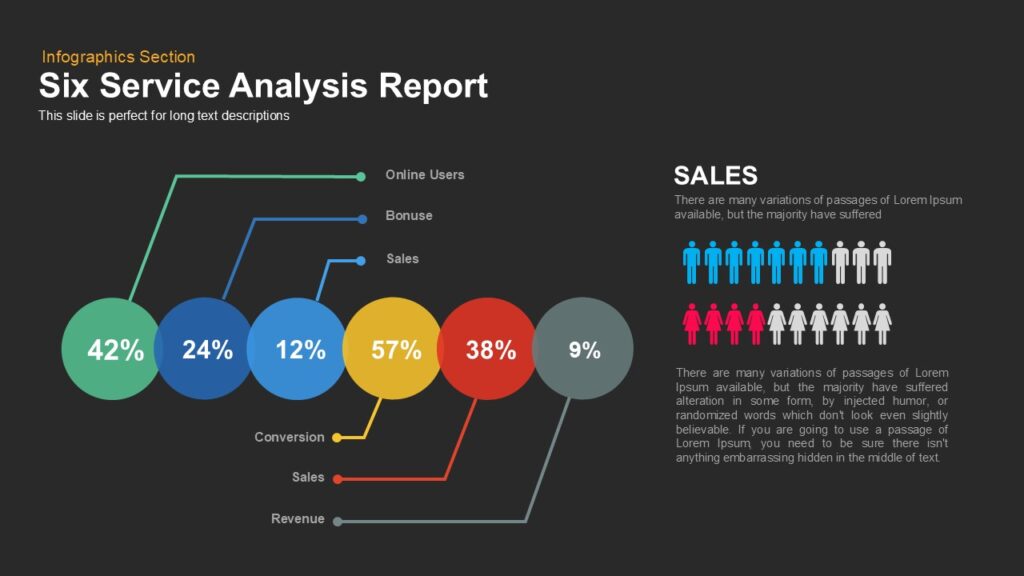
4.Six Service Analysis Report Slide
Designed for service evaluation and consulting-style reports, this slide helps analyze six service areas in a structured format. It works well for internal audits, performance reviews, and client-facing service assessments.
View Six Service Analysis Report Slide
5.Google Analytics Report Slide
This slide helps marketing and digital teams present website traffic, engagement, and conversion metrics clearly. It organizes analytics data into visual sections that are easy for stakeholders to understand.

View Google Analytics Report Slide Template
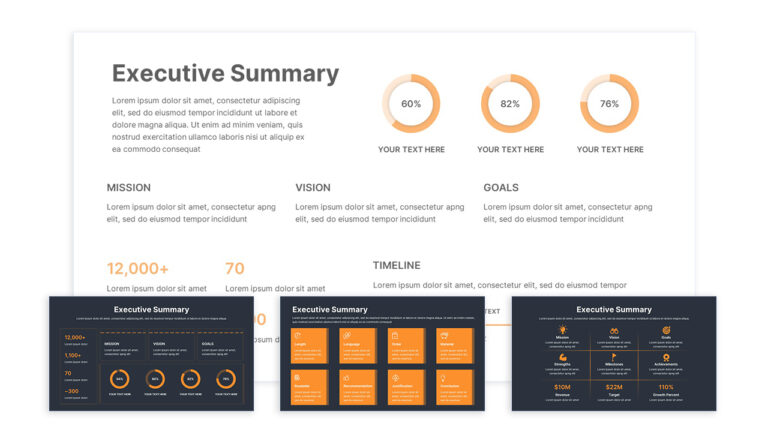
6.Executive Summary Slide
An executive summary slide condenses key insights, outcomes, and recommendations into a single overview. It is commonly used at the beginning of reports, proposals, and board presentations.
View Executive Summary Slide Template
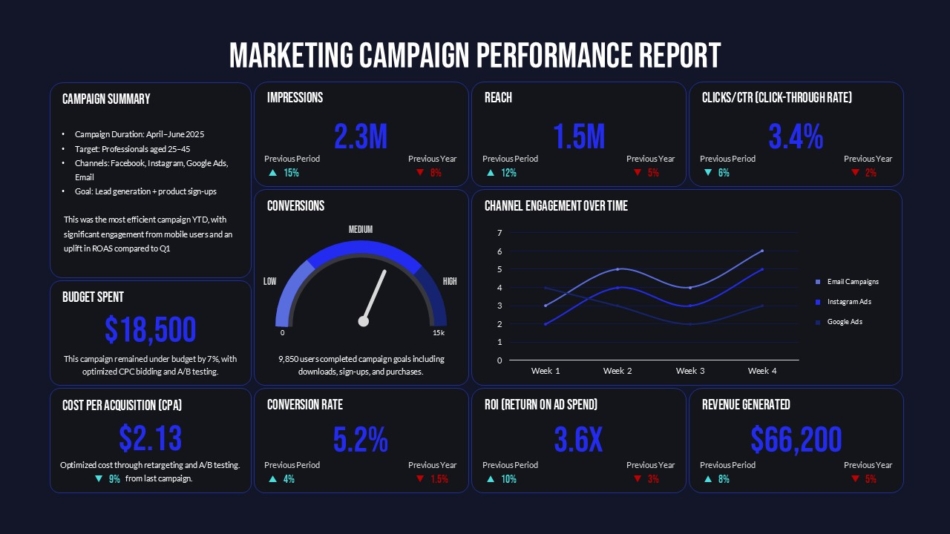
7.Marketing Campaign Performance Report Slide
This slide is designed to present campaign goals, KPIs, and outcomes in a structured format. It supports performance analysis and optimization discussions with stakeholders.
View Marketing Campaign Performance Report Template
8.Weekly Status Report Summary Slide
A weekly status report slide helps teams summarize progress, blockers, and next steps in a consistent layout. It is especially useful for recurring project updates and cross-functional meetings.

View Weekly Status Report Summary Slide
9.Annual Report Overview Slide
This slide provides a high-level summary of yearly performance, milestones, and strategic direction. It is commonly used in annual reports, investor presentations, and leadership reviews.

View Annual Report Overview Slide Template
Trending Styles of Professional Slides for 2026
As business communication evolves, so do presentation design standards. Modern professional slides prioritize clarity, flexibility, and visual storytelling.
Some of the most notable trends shaping professional slides for 2026 include:
- Clean and minimal layouts
Reduced clutter and increased white space help audiences focus on key messages.
- Data-driven visuals
Charts, diagrams, funnels, and frameworks are replacing text-heavy slides.
- Bold typography systems
Clear headings and readable font pairings improve slide scanning and comprehension.
- Process and framework slides
Visual models such as cycles, pipelines, and workflows simplify complex ideas
- Brand-consistent color systems
Modern slides emphasize cohesive color palettes aligned with brand identity.
These trends improve audience engagement and make presentations more effective in both in-person and remote settings.
Best Use Cases for These Professional Slides
Professional slides can be adapted across a wide range of business and educational scenarios, including:
- Sales meetings and pipeline reviews
- Board and executive presentations
- Marketing performance reports
- Team updates and project roadmaps
- Training and onboarding sessions
How to Customize Your Slides for Maximum Impact
Even the best professional slides benefit from thoughtful customization. To maximize effectiveness:
- Use consistent brand colors and fonts
- Replace long paragraphs with concise bullet points
- Highlight insights using charts and icons
- Maintain alignment and spacing
Conclusion
Modern business communication demands clarity, speed, and visual consistency. Professional slides help teams deliver stronger presentations by combining thoughtful design with practical structure.
With its growing library of business PowerPoint templates, professional slide templates, and Google Slides templates, SlidesDepot empowers professionals to create polished presentations without unnecessary effort.
Ready to improve your business presentations?
- Explore premium professional slides
- Download free business PowerPoint templates
- Browse modern Google Slides templates
Frequently Asked Questions
Are professional slides suitable for small businesses?
Yes. They save time and improve presentation quality regardless of team size.
What makes slides professional?
They follow design principles focused on clarity, consistency, and usability.
Can I edit these templates easily?
Yes. All templates are fully editable.
PowerPoint or Google Slides?
Work well PowerPoint for advanced formatting, Google Slides for collaboration.

How to Make a Good Google Slides Presentation Quickly and Effectively
Smart Hacks to Make Your Google Slides Presentations Better Creating a presentation in Google Slides doesn’t have to be overwhelming or time-consuming. With the right approach, clear structure, and smart slide design, you can build a professional presentation that communicates your message clearly and keeps your audience engaged. This guide explains how to make a…
What Is the Main Purpose of Developing a Business Pitch? A Complete Guide for Founders
The Role of a Business Pitch in Winning Opportunities Many founders, professionals, and teams struggle with the same challenge: they have a strong idea, but their business pitch does not communicate it clearly. The slides feel disconnected. The story lacks focus. The audience walks away unsure about the value or the next step. Understanding what…