cornell-notes-study-layout-powerpoint-google-slides.jpg
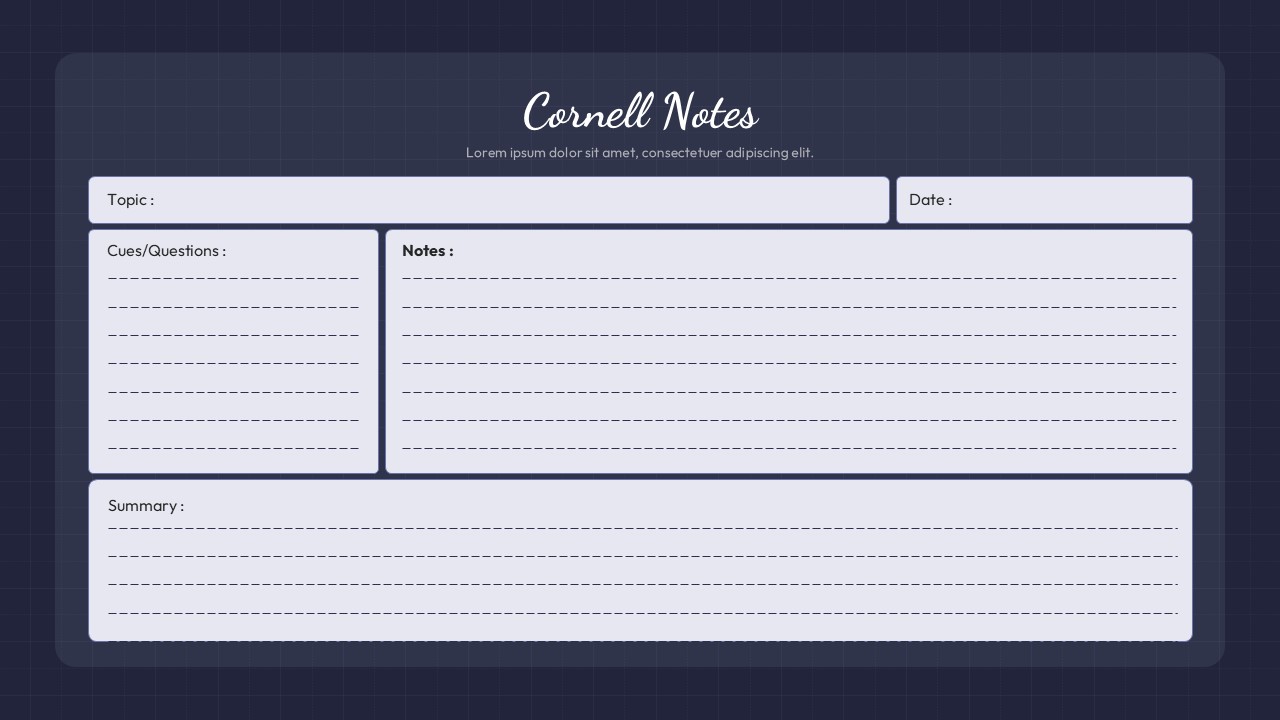
Cornell Notes slide layout with sections for topic, cues, notes, and summary on a dark blue background.

This template is part of a deck featuring multiple slides. To check out all slides.

See All

Product Description

Cornell Notes Study Layout Presentation Template

The Cornell Notes study layout slide is a clean, structured solution designed to support effective note-taking during lectures, meetings, and self-study sessions. Built around the classic Cornell Notes method, this layout divides the slide into clearly labeled sections for topic, date, cues or questions, detailed notes, and a final summary. The balanced grid structure helps presenters and learners capture information logically while maintaining visual clarity throughout the slide. With generous writing space and subtle separators, the Cornell Notes framework encourages focus, comprehension, and long-term retention of key ideas.

This Cornell Notes design uses a dark blue background combined with light content panels to reduce eye strain and keep attention centered on the written material. Rounded containers, consistent spacing, and lined placeholders create a familiar notebook-style experience while remaining fully digital and presentation-ready. Text fields are easy to edit, resize, or duplicate, allowing the layout to adapt to different subjects, class lengths, or learning styles without disrupting alignment or hierarchy.

Optimized for both PowerPoint and Google Slides, this Cornell slide works smoothly across devices and screen sizes. Educators can use it as a reusable lecture slide, while students can duplicate it to build organized study decks. Beyond classrooms, the layout is also suitable for training sessions, workshops, research planning, and structured brainstorming. By transforming a proven academic method into a polished slide format, this template helps users present information clearly, study more efficiently, and maintain consistency across educational presentations.

Features of this Cornell Notes template

• Classic Cornell Notes structure with sections for topic, cues, notes, and summary.
• Clean grid layout with lined placeholders for guided note-taking.
• Fully editable text boxes, colors, and fonts in PowerPoint and Google Slides.
• Professional dark-light contrast for improved readability and focus.

Why use this template

• Organizes complex information into a proven learning framework.
• Saves time creating structured notes or educational slides from scratch.
• Improves clarity and recall for students, educators, and trainees.
• Works equally well for live presentations and personal study decks.

Who is it for

Teachers, professors, students, tutors, and academic trainers who rely on the Cornell Notes method for lectures and study sessions. It is also useful for corporate trainers, workshop facilitators, and professionals who need a structured format for capturing and summarizing information during presentations or learning activities.

Login to download this file

What do you think about this template? Give a rating




