




Process Model Canvas Workflow Template for PowerPoint & Google Slides
Process Model Canvas Workflow Overview Presentation Template
Most process documentation tools make you choose between clarity and completeness. This one doesn’t.
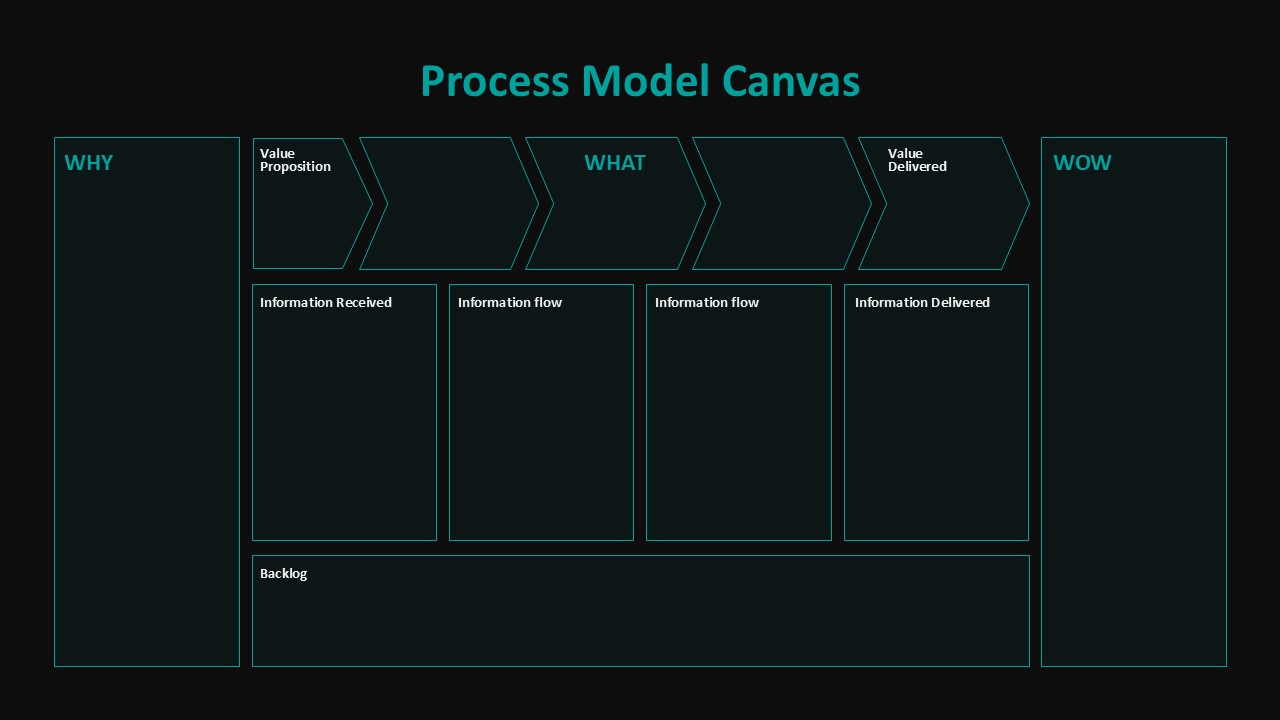
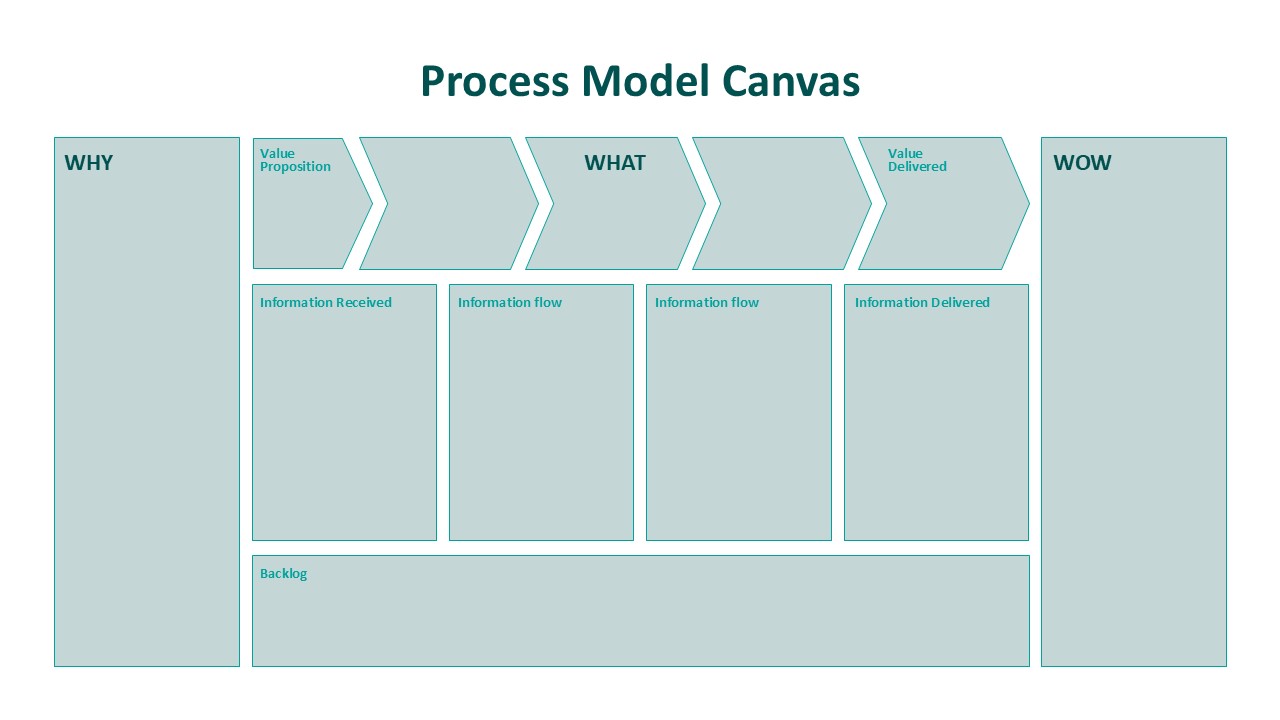
The Process Model Canvas template for PowerPoint and Google Slides maps a workflow from intake to output without burying the structure under clutter. The backbone is simple: arrow-shaped stages labelled Value Proposition, What, and Value Delivered move left to right, showing how inputs travel through a process and what comes out the other end. You can see the whole thing at a glance; you don’t have to decode it.
Here is the catch with most workflow templates – they handle operations fine but drop the strategic context entirely. But this Process Model Canvas one keeps both in frame. Dedicated panels for Why and Wow sit alongside the operational fields, so the person looking at the slide understands not just what the process does, but why it exists and what a good outcome actually looks like. That combination is rarer than it should be.
The information architecture holds up too. Sections for Information Received, Information Flow, and Information Delivered give each workflow stage its own documentation space, which matters during audits or redesign sessions when someone inevitably asks “but where does that data actually come from?” The answer is already on the slide.
Design-wise: muted blue palette, clean typography, nothing fighting for attention. It reads well in a boardroom and it reads well in a workshop. That is not a small thing when your audience shifts between executives and operations teams depending on the week.
Who actually uses the Process Model Canvas
Business analysts, operations managers, transformation leads, consultants, project teams, educators — anyone who needs to map, evaluate, or redesign a process and present it to people who did not build it. The format is repeatable, which means you spend less time setting up the canvas and more time filling it with something useful.
The fields in the Process Model Canvas are fully editable: colors, text, layout, all of it adjustable to match whatever branding or context you are working within. Whether you are documenting a current-state process, sketching a new workflow, or trying to get three departments to agree on how something actually works, the structure keeps the conversation from going sideways.
Login to download this file


