




User Experience Basics Flowchart Diagram Template for PowerPoint & Google Slides
User Experience Basics Flowchart Process Presentation Template
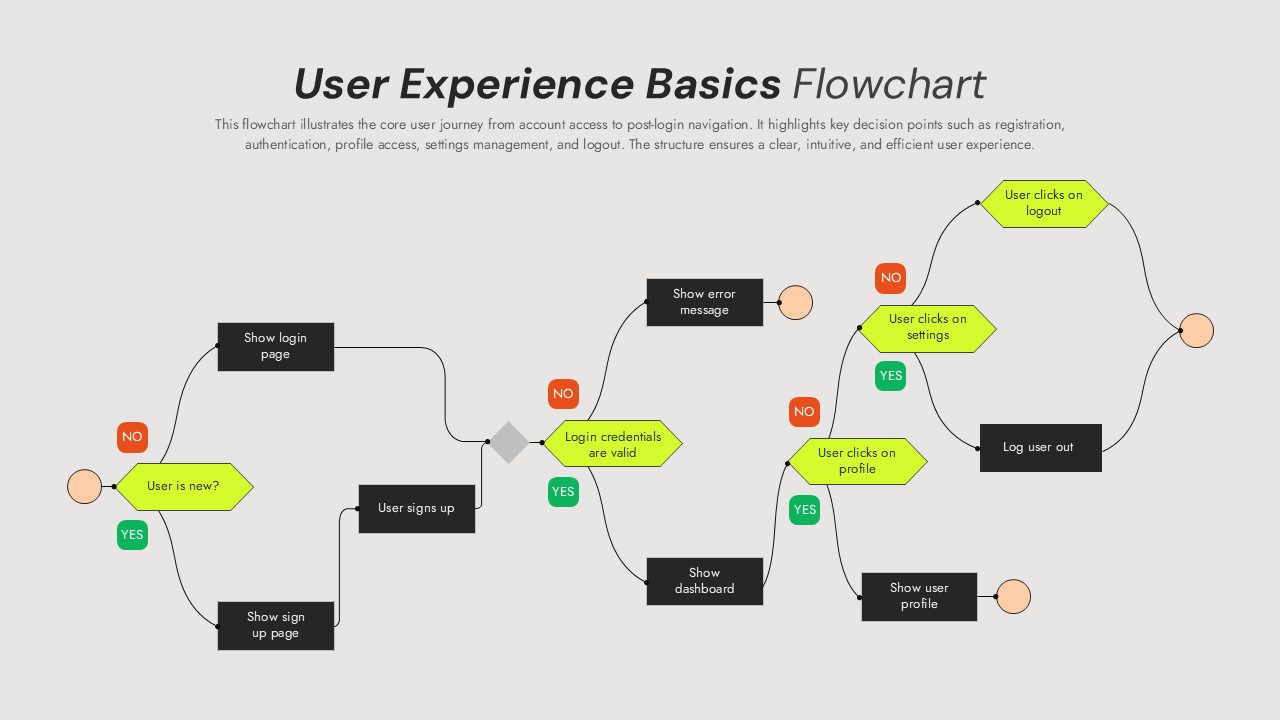
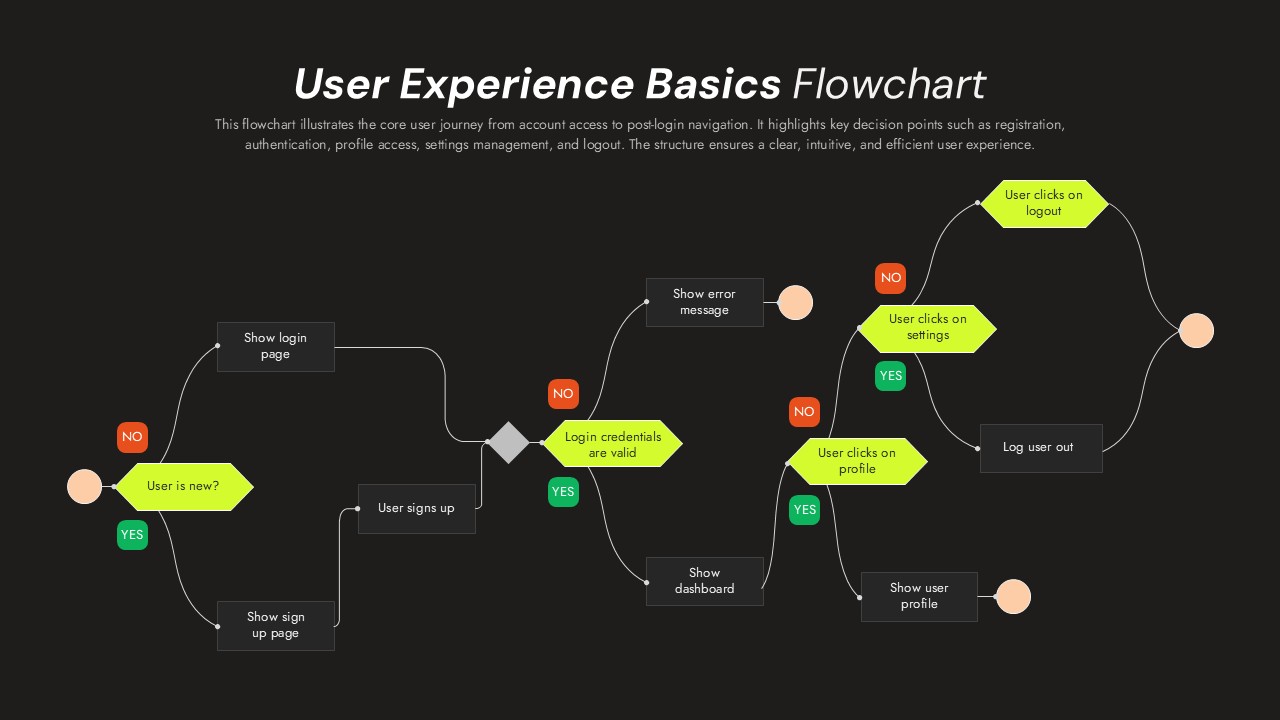
This User Experience Basics Flowchart Template for PowerPoint & Google Slides provides a comprehensive horizontal process flow with circular nodes, diamond-shaped decision points, and rectangular process boxes. The template features bright lime green hexagonal elements, red and green YES/NO decision labels, and clear directional arrows connecting user authentication and navigation pathways. Available in both light gray and dark charcoal background versions, this flowchart uses peach circular start/end points and maintains high contrast for optimal readability.
This User Experience Basics Flowchart Template for PowerPoint & Google Slides is ideal for UX/UI designers mapping user journeys, product managers documenting authentication flows, and development teams planning website or app navigation systems. The template supports user registration processes, login credential validation, dashboard access workflows, and profile management scenarios. Business analysts can use it for process documentation while trainers can leverage it for user experience education and client presentations showcasing navigation logic.
Every element in this template is fully customizable, allowing you to modify colors, text, and process steps to match your specific user flow requirements. The dual color scheme provides flexibility for various presentation contexts and brand guidelines. This template streamlines the creation of professional UX documentation, saving time while ensuring clear communication of complex user interaction processes.
Features of this User Experience Basics Flowchart template
• Horizontal flowchart layout with cyclical process flow design
• Dual color schemes (light and dark backgrounds) for versatility
• Clear decision points with YES/NO routing and color-coded elements
• Professional flat design aesthetic with high contrast readability
• Complete user authentication and navigation process mapping
Why use this User Experience Basics Flowchart template
• Simplifies complex user journey documentation and presentation
• Saves time with pre-designed UX flowchart structure and elements
• Enhances client presentations with professional visual process mapping
• Supports both PowerPoint and Google Slides for maximum compatibility
Who is it for
This template is perfect for UX/UI designers, product managers, business analysts, development teams, user experience researchers, project managers, and consultants who need to create clear visual representations of user flows, authentication processes, website navigation, mobile app user journeys, and system interaction workflows for presentations, documentation, and stakeholder communication.
Login to download this file


Related Templates

Free Proof Of Concept Template
Process


