How to Write a Meeting Agenda That Actually Saves Time


Most meetings fail before they start. Not because of the wrong attendees or a bad time slot, but because there was no clear agenda, or the one that existed was too vague to be useful. Learning how to write a meeting agenda properly is one of the simplest things you can do to make your meetings sharper, faster, and worth everyone’s time.
This guide walks you through the structure, the mindset, and the practical details that separate a forgettable meeting from a productive one.
Why a Well-Written Meeting Agenda Changes Everything
A meeting without an agenda is just a scheduled interruption. People show up unsure of what decisions need to be made, who needs to speak, or when they can leave. The result is rambling discussion, unresolved action items, and a calendar invite nobody wanted.
A good agenda does the opposite. It signals respect for people’s time, sets clear expectations, and gives the meeting a backbone. When participants know the topics in advance, they come prepared. When time limits are set per item, discussions stay on track.
The structure you build before the meeting is what determines its outcome.
How to Write a Meeting Agenda: A Step-by-Step Approach
1. Start With the Meeting’s Purpose
Before listing any topics, write one sentence that answers: What does this meeting need to accomplish?
This isn’t the meeting title. It’s the outcome. For example:
- “Align on Q3 campaign priorities before the budget freeze”
- “Make a final decision on the vendor shortlist”
- “Unblock the product team on the API integration scope”
That single sentence becomes your filter. If an agenda item doesn’t serve that purpose, it probably doesn’t belong in the meeting.
2. List Agenda Items in Logical Order
Once you know the goal, list the topics that move you toward it. A few rules that consistently work:
- Put high-stakes decisions or time-sensitive items early, when energy is highest
- Group related topics together to avoid mental context-switching
- Save updates and announcements for the end, or skip them in favor of a shared doc
Avoid vague labels like “Project Update” or “General Discussion.” These give participants nothing to prepare and give the meeting nowhere to go. Instead, use action-oriented phrasing: “Review draft proposals and select top two” or “Decide on launch date for Phase 2.”
3. Assign Time Blocks to Each Item
One of the most overlooked parts of how to write a meeting agenda is time allocation. Each item should have a realistic time limit next to it.
This does two things: it forces you to prioritize (you can’t fit 12 items into a 30-minute call), and it gives the facilitator something to enforce during the meeting.
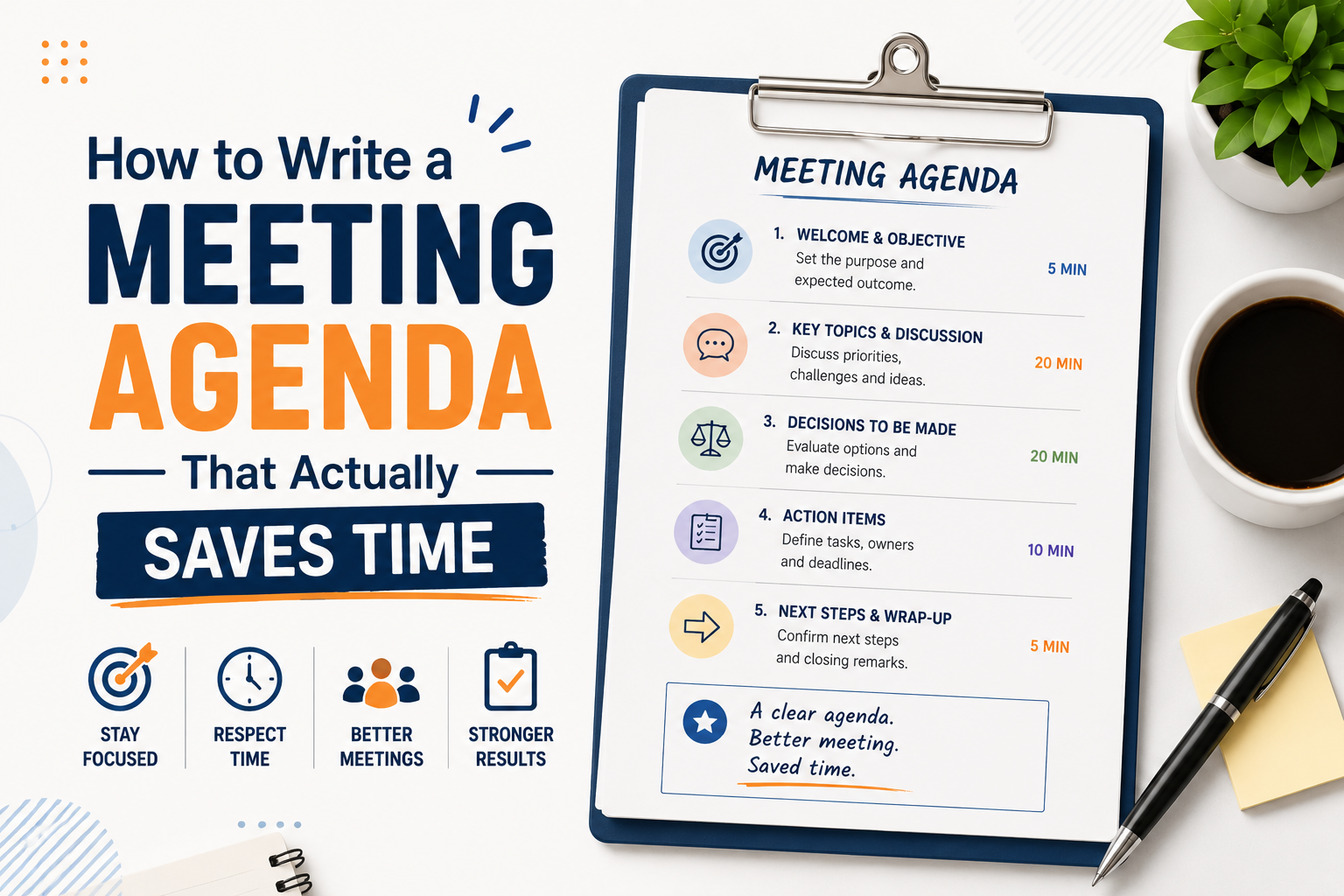
A common structure for a 60-minute team meeting:
- Welcome and context: 5 min
- Item 1 (decision needed): 20 min
- Item 2 (discussion): 15 min
- Item 3 (quick updates): 10 min
- Action items and wrap-up: 10 min
4. Assign Owners to Each Agenda Item
Adding an owner beside every agenda item gives the meeting structure and clarity. Instead of one person managing every discussion, each topic has a designated lead who guides the conversation, provides updates, or answers questions. This keeps the meeting flowing smoothly and encourages active participation from the right people.
Clear ownership also improves follow-through after the meeting ends. Team members know exactly who is responsible for each task, decision, or update, reducing confusion and missed action items. When responsibilities are visible in the agenda, accountability becomes part of the meeting process from the start.
5. Include Pre-Read Materials or Prep Instructions
If participants need information before the meeting, include all relevant documents, links, or attachments in the agenda itself. This may include reports, proposals, presentations, or short briefs that provide important context for the discussion.
Be specific about what attendees should review and what is expected from them during the meeting. For example: “Please review the two vendor proposals before Friday’s call. We’ll be discussing and voting on the final selection.”
Sharing preparation materials in advance helps everyone arrive informed and ready to contribute. It reduces time spent explaining background details during the meeting and allows the discussion to focus on decisions, ideas, and problem-solving.
6. Share the Agenda Early
Send the agenda at least 24 hours before the meeting, ideally 48. Last-minute agendas defeat the purpose. Participants need time to prepare, flag missing context, or suggest additions before the meeting begins.
What to Include in a Meeting Agenda
Here’s a quick reference for what a complete meeting agenda typically contains:
- Meeting title and date/time/location (or link)
- Attendees and their roles (optional, but useful for large groups)
- Meeting objective: the one-sentence purpose
- Agenda items: each with an action-oriented label, time block, and owner
- Pre-read materials: linked or attached
- Space for notes: especially helpful for recurring meetings
- Action items section: to be filled in during the meeting
You don’t need every element for a quick team sync. But for cross-functional meetings, project kickoffs, or any meeting where decisions will be made, a complete agenda pays for itself.
Common Mistakes That Make Agendas Useless
Even people who do write agendas often make the same few mistakes:
Too many items. A 10-item agenda for a 45-minute meeting is not an agenda. It’s a wish list. Cut ruthlessly or split into two meetings.
No decisions specified. If it’s not clear whether each item is for discussion, decision, or information, the meeting becomes a conversation with no endpoint.
Sent too late. An agenda sent 10 minutes before a meeting is mostly theater. It doesn’t give people time to think.
No follow-up structure. An agenda that has no space for action items means the meeting ends without clear next steps. Whatever was decided evaporates in 48 hours.
How a Meeting Agenda Template Saves Time Without Cutting Corners
Writing an agenda from scratch every time is unnecessary. A well-designed meeting agenda template gives you the structure so you can focus on the content.
The most effective templates aren’t just blank tables. They’re designed to prompt the right thinking nudging you to state the objective, assign time, and note who owns what. When the format is already in place, you’re much less likely to skip those critical elements.
For teams that hold recurring meetings (weekly standups, sprint reviews, board updates, client check-ins), a consistent template also builds a shared rhythm. Participants know what to expect and how to prepare. The meeting stops being an event and becomes a productive habit.
SlidesDepot offers a range of professionally designed presentation templates, including structured slides that work as visual meeting agendas for presentations, all-hands updates, and team briefings. The templates are available in both PowerPoint and Google Slides, with no conversion needed, so your team can work in whichever tool they already use.
Below are five ready-to-use agenda templates from SlidesDepot that cover the most common meeting types.
1. Green Meeting Agenda Overview Template
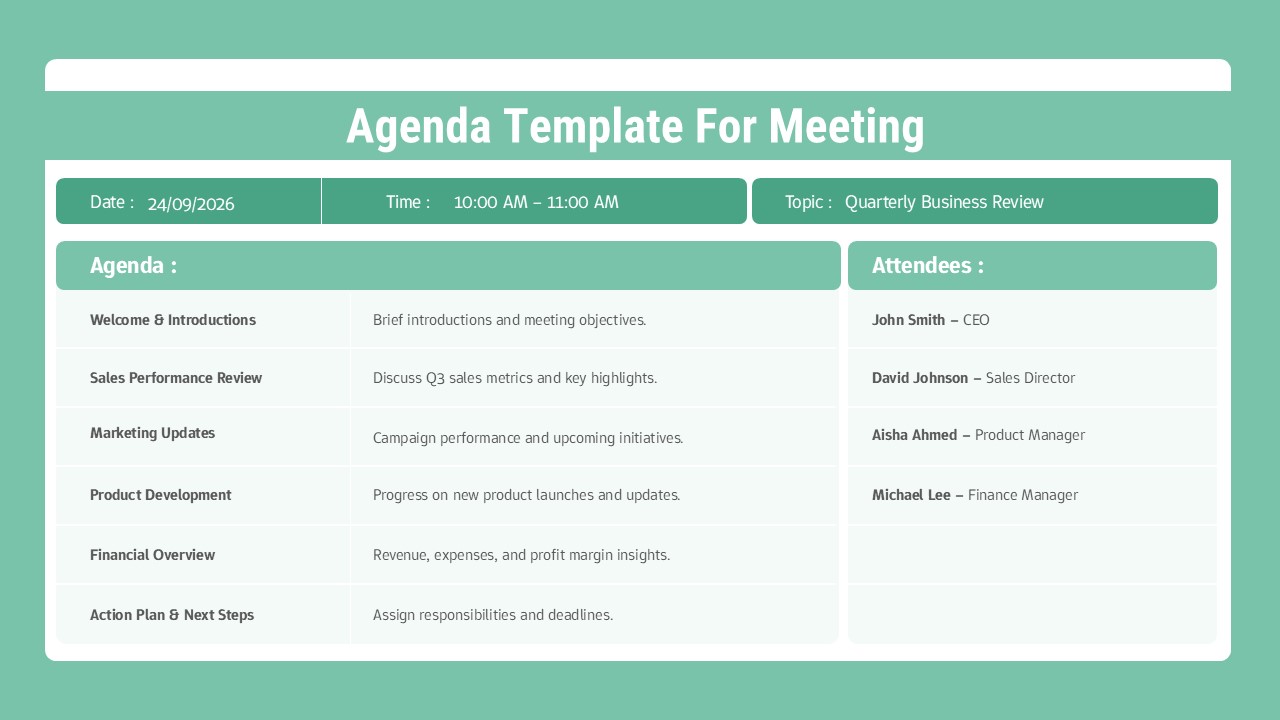
This is a clean, structured meeting agenda slide built around a two-column layout. It includes dedicated sections at the top for date, time, and meeting topic, followed by an agenda table that pairs each item with a short description. An attendees list sits alongside the agenda, keeping participant information visible without taking up too much space. The color theme uses soft green for the header and section dividers, giving it a calm, professional look. The layout works across different meeting types business reviews, team check-ins, project updates, quarterly syncs, and cross-departmental meetings all fit naturally into this structure. It comes in both a light and dark version and is fully editable in PowerPoint and Google Slides.
Best for: General business meetings, team syncs, recurring check-ins
2. Conference Agenda Template
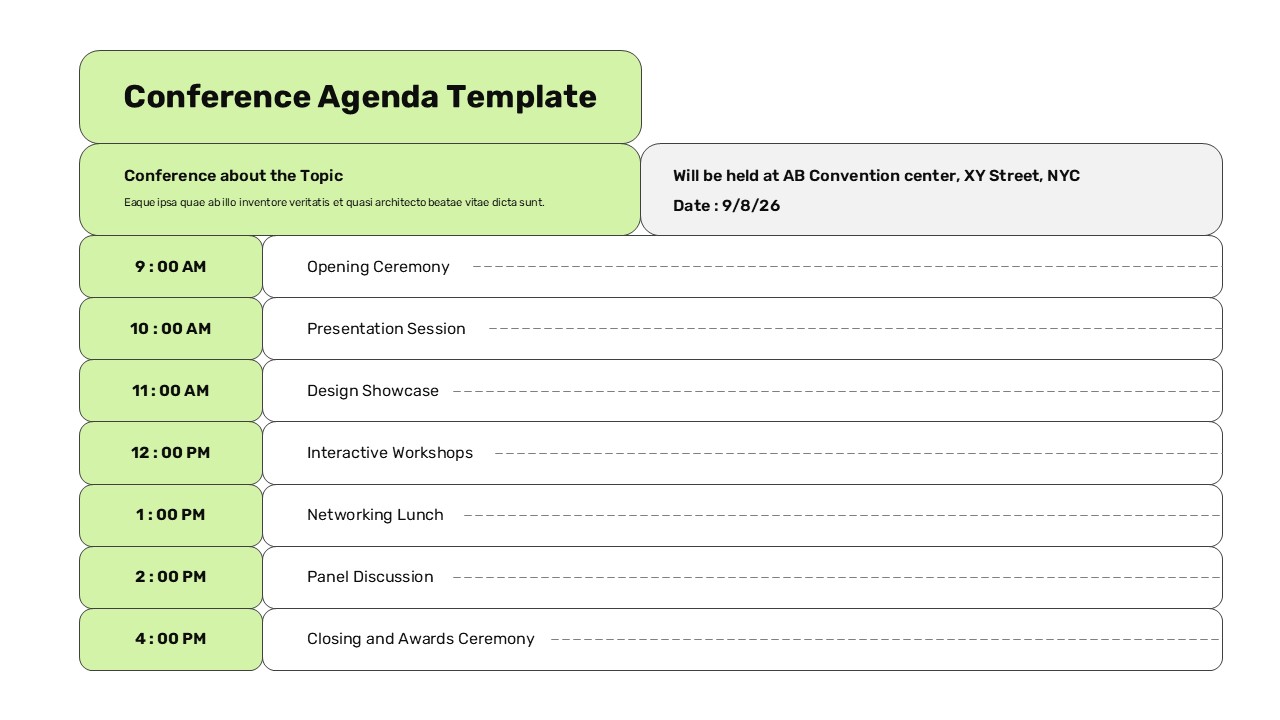
This template is designed for multi-session events and full-day conferences. It uses a professional green and light-grey color palette with rounded rectangular elements and a two-column header system that organizes the event title, date, and venue details at a glance. The main layout provides a comprehensive seven-slot schedule running from 9:00 AM through 4:00 PM, covering everything from an Opening Ceremony and Presentation Sessions to Interactive Workshops, a Networking Lunch, a Panel Discussion, and a Closing and Awards Ceremony. It is ideal for academic institutions, business seminars, and workshop facilitators who need a flexible, easy-to-customize structure. It comes in both a light and dark version.
Best for: Conferences, seminars, full-day corporate events, academic gatherings
3. Monthly Project Status Meeting Agenda Template
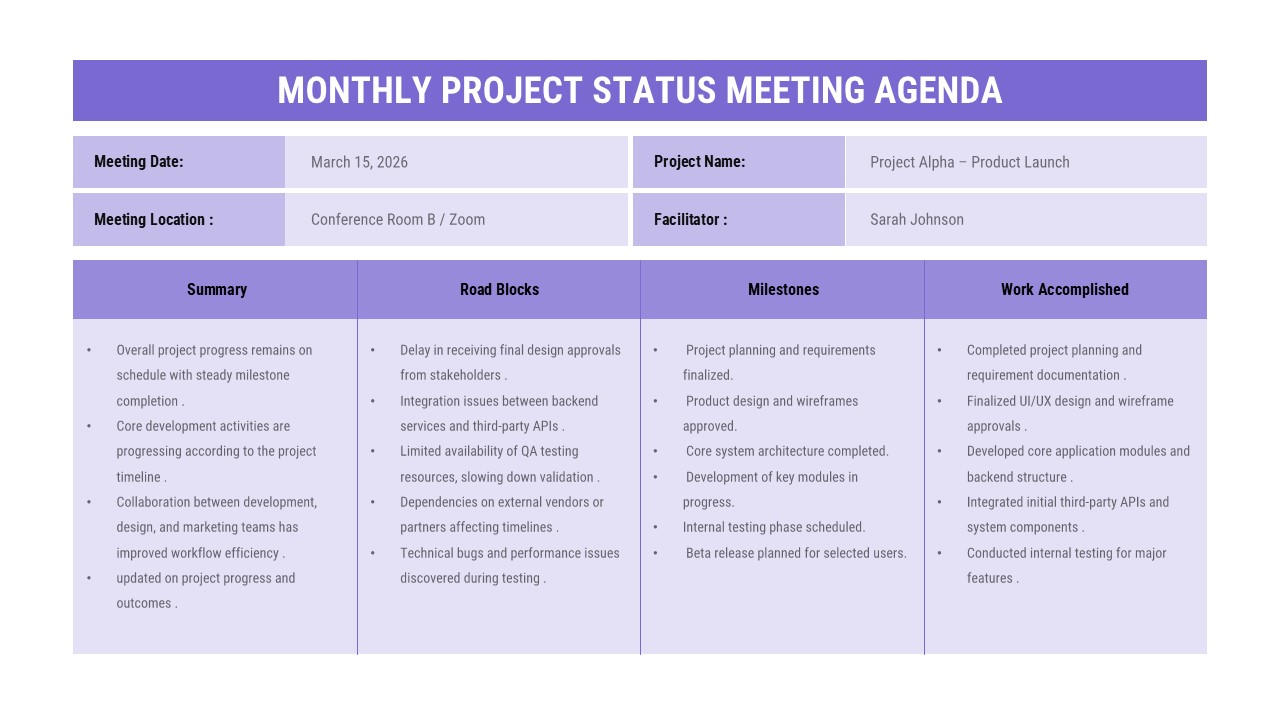
This template is built around a structured 4-column table layout with a professional purple gradient design. The four columns are dedicated to Summary, Road Blocks, Milestones, and Work Accomplished covering every critical dimension of a project status update in a single, scannable slide. A clean header section captures meeting logistics including date, location, project name, and facilitator details. It is designed for project managers, team leaders, scrum masters, product managers, and department heads who conduct regular monthly reviews. The standardized framework ensures consistent communication, and the placeholder content makes it quick to customize for any project or team.
Best for: Monthly project reviews, sprint retrospectives, cross-functional status updates
4. Structured Team Meeting Agenda Template
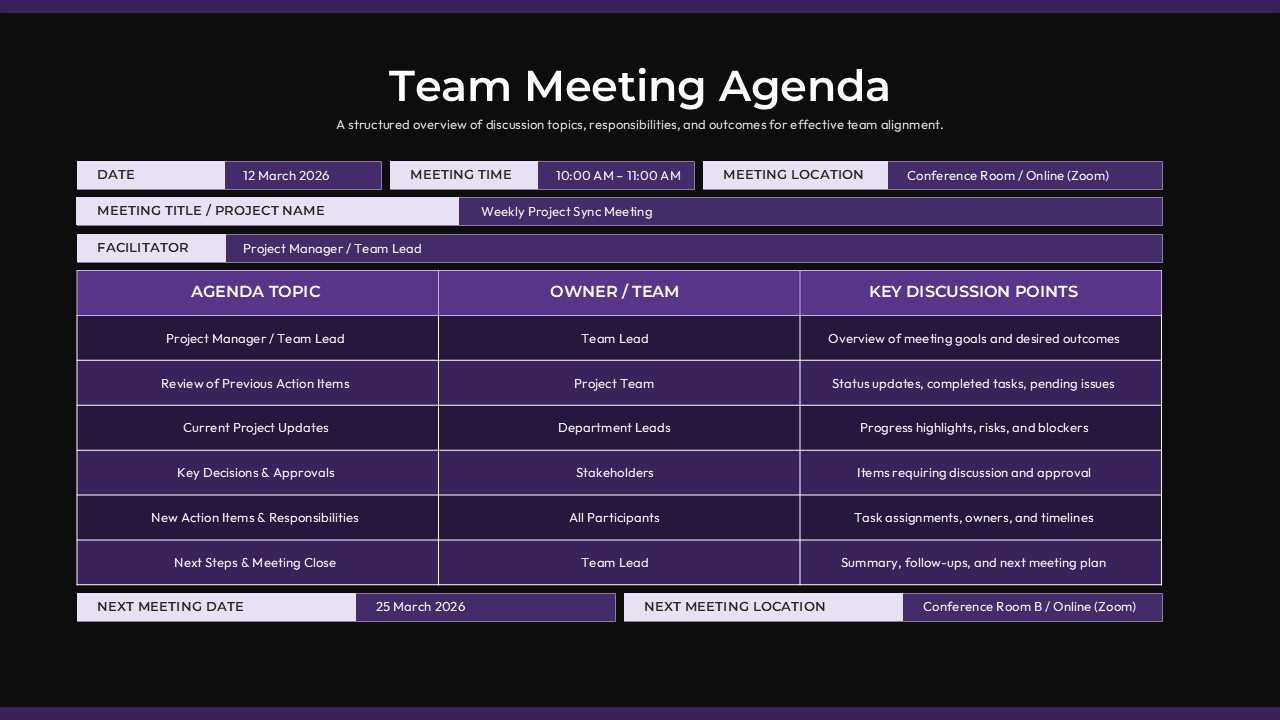
This template is purpose-built for team meetings where clear role assignment and discussion structure matter. It includes dedicated fields for date, time, and location at the top, along with a structured table that maps each agenda topic to a specific owner and set of discussion points. This makes it easy to see at a glance who is responsible for what before the meeting even begins. The layout reduces preparation friction and keeps facilitators from carrying the entire meeting. Because each item has a named owner and a defined focus, participants come prepared to contribute rather than waiting to be prompted. Fully editable in PowerPoint and Google Slides.
Best for: Team meetings with multiple contributors, cross-functional syncs, structured staff meetings
5. Six-Step Daily Agenda Template
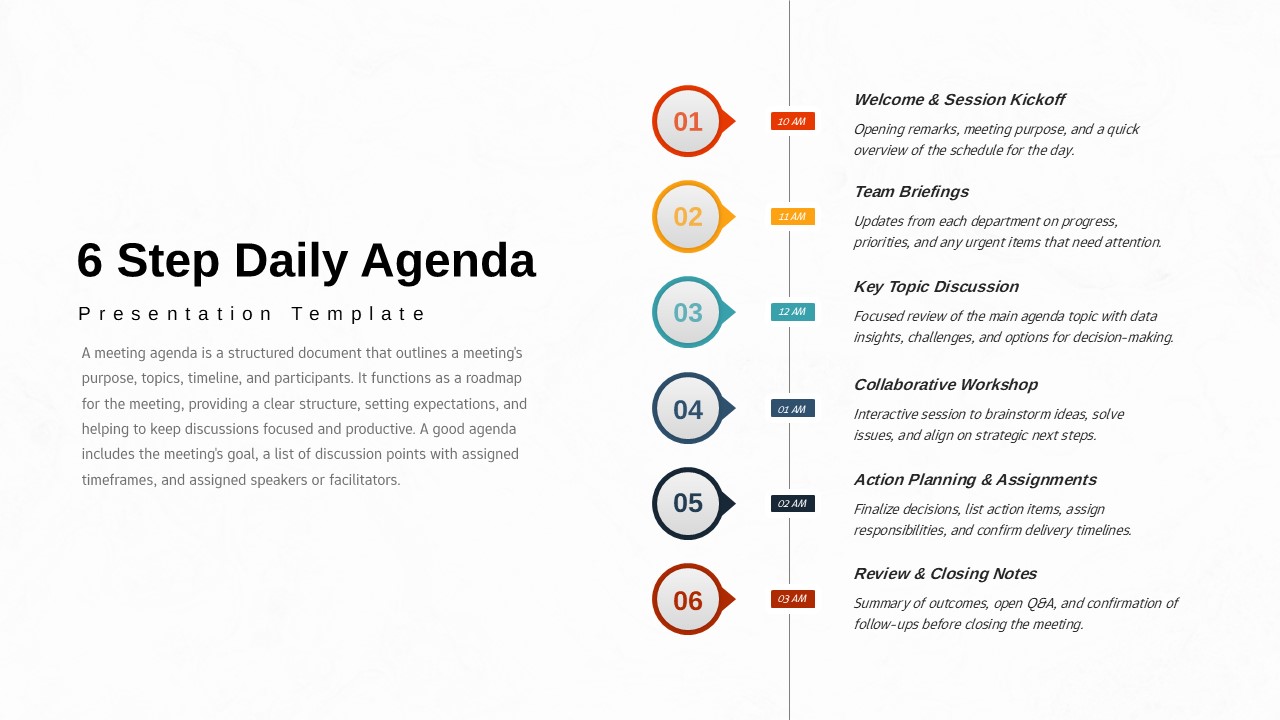
This template uses a vertical six-step timeline layout that maps a full meeting or workday into numbered, time-stamped segments. Each step includes a time slot and a short session description, making it easy for participants to follow the flow and know exactly where they are in the agenda at any point. The visual progression of steps creates a natural sense of momentum that keeps discussions moving forward. It works especially well for workshop agendas, training sessions, all-hands meetings, and structured daily standups where the sequence of topics matters as much as the content.
Best for: Workshops, training sessions, structured daily meetings, all-hands presentations
How to Write a Meeting Agenda for Specific Meeting Types
Different meetings have different needs. Here’s how to adapt the structure:
Weekly Team Standup (15–30 min)
Keep it minimal. Three sections: wins from last week, blockers right now, priorities for this week. No pre-reads. Rotate who facilitates.
Project Kickoff Meeting (60–90 min)
More structure needed here. Cover project goals, roles and responsibilities, key milestones, open questions, and a clear next step. Send a one-pager in advance so everyone arrives with context.
Client Presentation or Status Update
Lead with the client’s priorities, not yours. State what decisions or approvals you need from them, and keep the “update” portion brief. A clean visual agenda slide at the start sets a professional tone immediately.
Board or Executive Briefing
Time is short and stakes are high. Provide pre-reads for everything that doesn’t require live discussion. Use the meeting only for decisions and high-judgment conversations. Agenda precision matters here more than anywhere else.
After the Meeting: Closing the Loop
The agenda doesn’t end when the meeting does. A short follow-up sent within 24 hours that lists decisions made and action items with owners and due dates turns the meeting into actual progress.
Without this, meetings accumulate goodwill and burn collective time without compounding into anything. With it, each meeting builds on the last.
Wrapping Up: Make Your Meetings Worth Attending
Learning how to write a meeting agenda well is a genuine professional skill. It takes practice, but the pattern is straightforward: start with the purpose, build the structure, assign time and ownership, share early, and follow up.
The tool you use matters less than the discipline you bring. That said, starting with a clean, well-designed meeting agenda template removes friction and keeps you consistent. SlidesDepot’s template library has options for both PowerPoint and Google Slides ready to use, no design experience required. There’s a free plan if you want to explore before committing.
Better meetings start with better preparation. The agenda is where that starts.
Explore all agenda templates at SlidesDepot:


PPT Meaning: Beginner Guide + Free PPT Templates from SlidesDepot
If you’ve ever been asked to create a PPT for school, college, or work, you might wonder what exactly PPT means. For beginners, this confusion is common, especially if you’re new to presentations or digital tools. Understanding the PPT meaning is the first step toward creating clear, organized, and professional presentations. This beginner-friendly guide explains what PPT is, how…

How to Add Audio to Google Slides (Step-by-Step Guide)
How to insert audio into google slides Want to make your presentation more engaging? Adding audio to your slides – whether it’s a voiceover narration, background music, or a sound effect – can turn a flat deck into a memorable experience. In this guide, the SlidesDepot team walks you through exactly how to add audio to Google Slides, step…
Cute Background for Presentation: Trendy Templates You’ll Absolutely Love
Choosing a cute PPT background sounds simple until you are actually doing it. There are hundreds of options, and most of them look fine in isolation but fall apart the moment you add text, charts, or images on top. This guide is for anyone who wants to understand how presentation backgrounds actually work, what makes certain styles more…