




Project Status Report Dashboard Template for PowerPoint & Google Slides
Project Status and Progress Report Presentation Template
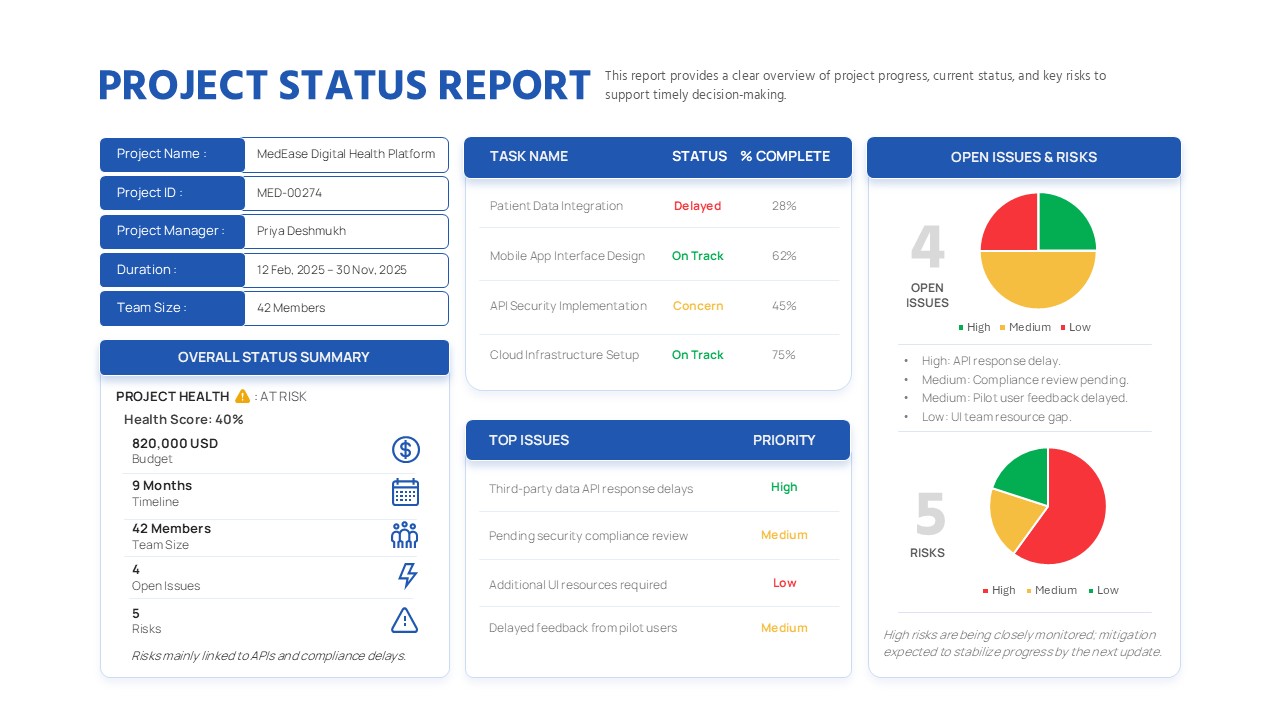
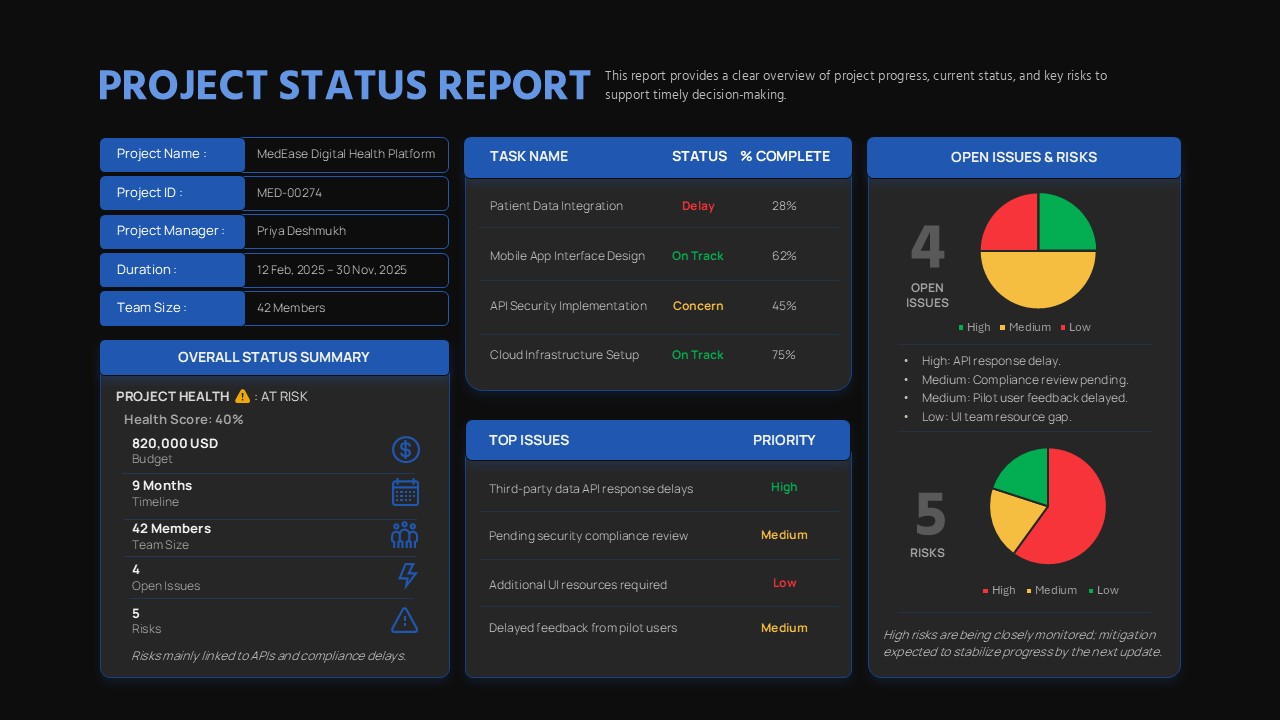
This Project Status Report presentation template provides a clear, executive-ready snapshot of project progress, health, and risk. It presents all key information within a single, well-structured slide. The layout combines project details, task tracking, issue prioritization, and risk visualization in a balanced dashboard. As a result, it supports fast and informed decision-making. Clearly labeled sections cover project metadata, overall status, task completion, and open issues. This structure allows stakeholders to quickly understand the current project position. Visual indicators, icons, and charts further enhance clarity without overwhelming the audience.
Built for consistency and accountability, this slide helps teams track timelines, budgets, and delivery risks across the project lifecycle. Color-coded task statuses highlight whether items are on track, delayed, or at risk. Consequently, performance gaps become visible at a glance. Issue and risk summaries draw attention to priority areas that need action. In addition, the structured grid layout keeps information organized and easy to read. This makes the slide suitable for weekly or monthly status reviews.
Fully editable in PowerPoint and Google Slides, this template adapts easily to different projects or departments. Labels, metrics, and visuals can be adjusted as needed. Whether used for IT initiatives, product development, or operational programs, it promotes transparency and alignment. By consolidating progress, issues, and risks into one dashboard, the slide reduces reporting time. At the same time, it improves communication quality and builds stakeholder confidence.
Features of this Project Status Report template
• Dashboard-style layout with project details, tasks, issues, and risks.
• Status indicators with percentage completion for key tasks.
• Visual charts summarizing open issues and risk levels.
• Fully editable text, icons, and colors in PowerPoint and Google Slides.
Why use this Project Status Report template
• Provides a comprehensive project overview in a single slide.
• Highlights risks and delays early to support proactive decisions.
• Standardizes project reporting across teams or portfolios.
• Saves time compared to building custom status reports.
Who is it for
Project managers, PMOs, team leads, and executives tracking project health and delivery. Also suitable for consultants, operations teams, and stakeholders reviewing progress, risks, and priorities.
Login to download this file


